Example of visualising scaffolds
In this example, we will visualize a scaffold, modify it using the existing user interface, and then export its nodal parameters.
Once you have successfully installed and executed a new workflow, you should see the scaffoldmaker window open.
In the left top corner, find Mesh type drop down list, and choose 3D Bladder with Urethra 1.
Often, there are more than one version of the parameter set
for each mesh type. Let’s click on Parameter set, and select Rat 1.
Move your mouse upward while holding right mouse button to zoom in, and rotate the object by moving your mouse while holding left mouse button.
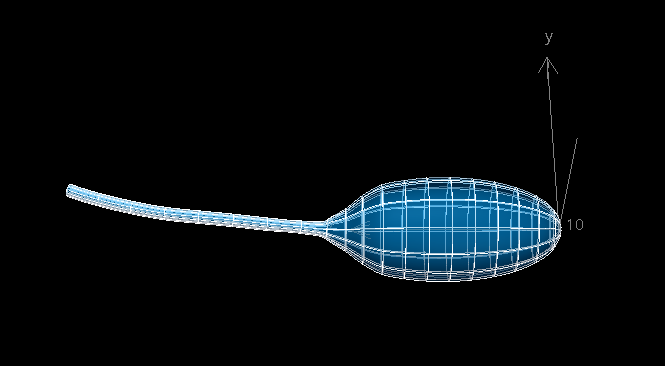
You may notice there is a Central path LUT option under Parameter set . Some mesh types have a special option which allows you to modify multiple related nodes using a simpler geometry structure. Click on it, you should see a 1D line mesh representing the urethra. Find Node points in the bottom left corner, and make sure the box is ticked. Hold S key, and you can drag node points using your left mouse button.

Once you are happy with the shape, click << Back on the top left corner. You should see the shape of urethra has already changed.
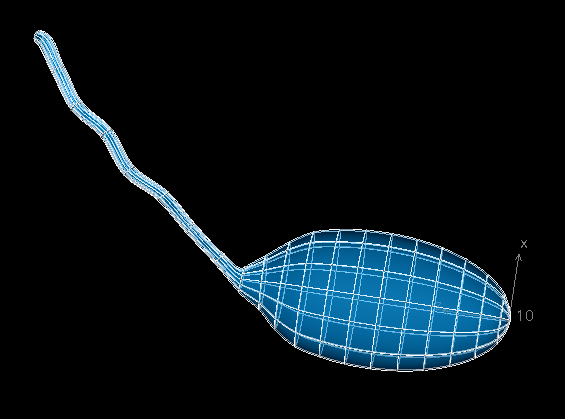
If part or all of the mesh is not visible in the field of view of the scaffoldmaker’s graphics viewport, you can rescale the mesh by holding A + right mouse button the mesh by holding A + right mouse button and drag your mouse upward (an alternative way is to use the Scale x, y , z option). Remember to click on Apply transformation for confirmation.
You can continue to modify the mesh. Once you have finished, click on Print node parameters, and change the number
format to .4f, which represents floating point values with 4 decimal places. You should find all node parameters printed
in your terminal.
[ Node.VALUE_LABEL_VALUE, Node.VALUE_LABEL_D_DS1, Node.VALUE_LABEL_D_DS2 ]
[
( 1, [ [ 0.0000, 0.0000, 0.0000], [-3.1150, 0.0000, 0.0000], [ 0.0000, 3.1150, 0.0000] ] ),
( 2, [ [ 0.0000, 0.0000,-0.2000], [-3.1150, 0.0000, 0.0000], [ 0.0000, 3.1150, 0.0000] ] ),
( 3, [ [-0.0000, 2.3572, 1.3249], [-1.5708,-0.0000, 0.0000], [-0.0000, 1.9930, 2.4060] ] ),
( 4, [ [-1.5476, 2.1256, 1.3249], [-1.4979,-0.4729, 0.0000], [-1.4019, 1.7525, 2.3064] ] ),
...